
A complete guide on how to order using our B2B store
Our B2B store is essentially an online store, however, you are invoiced instead of needing to pay upfront.
All you need to do is search for the product you are looking for, or use the 'Select Category' filter to narrow down your search.
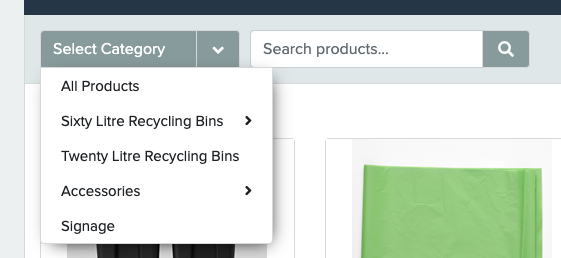
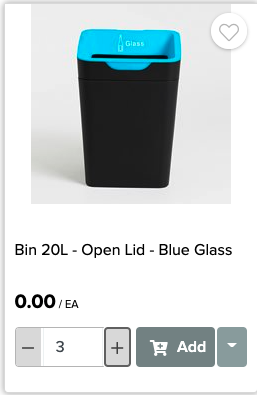
Once you find what you're looking for, you can 'quick add' any quantity you need directly from the category page or click into the full product page and 'Add' from there.
Once you have added all the products you're after, you can access your cart from the top right toolbar of any page.

From here, double-check everything looks correct, and click 'Proceed to Order'
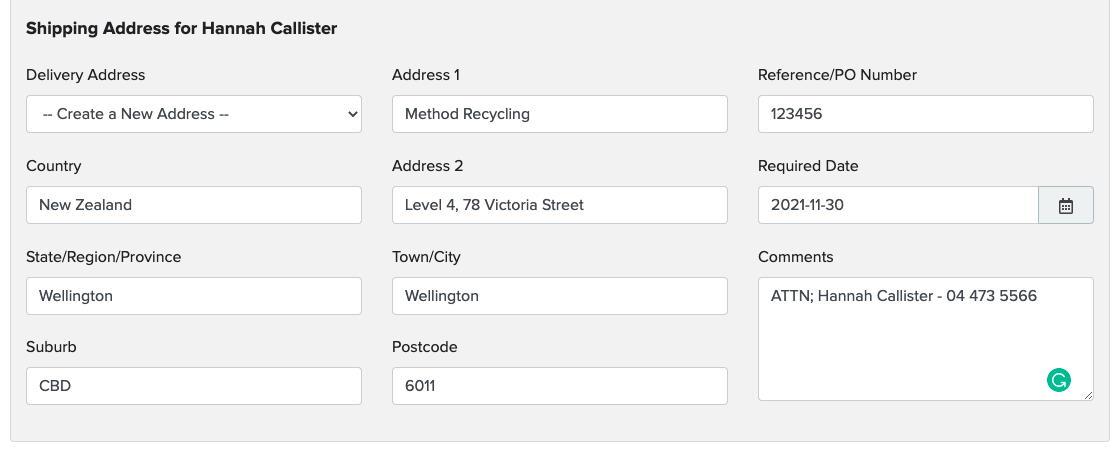
Once you get to the shipping page, you will notice that all historical delivery addresses are selectable. If you're sending to a new address, just click 'Create a New Address'.
There is a 'PO' section on the order for your PO number. If a PO number is mandatory for your invoicing team, please do not place orders without one.
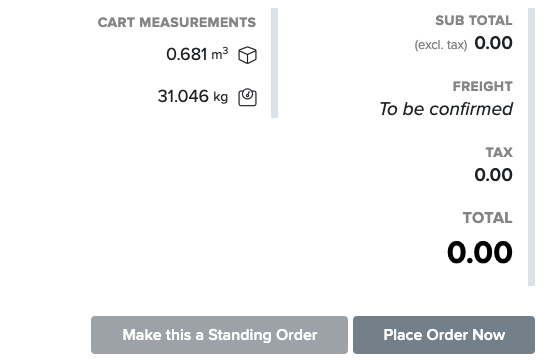
Freight is calculated after the order is placed with us
In the 'Comments' Section, please ensure the delivery contact person + phone number are included, as well as any special requirements or notes for this order.
If you require this order at a specific date, please change this section. Otherwise, leave it blank to be processed immediately.
From here, you can place the order, or set this as a standing order to re-occur on any basis that suits you. We recommend this for liner orders, in order to avoid liner-less bins!
Woohoo! Your order is now in our hands.
You will receive an automated confirmation email, after that, we will be in touch to confirm the order has been processed through our warehouse.